


Differences - Find & Spot It
4.96.97K Reviews
App Specs
- Version
- 2.21.0
- Updated On
- License
- Free
- Downloads
- 10,000,000+
- Developer
- Guru Puzzle Game
- Categories
- Puzzle
- Platform
- Android, iOS
Screenshots
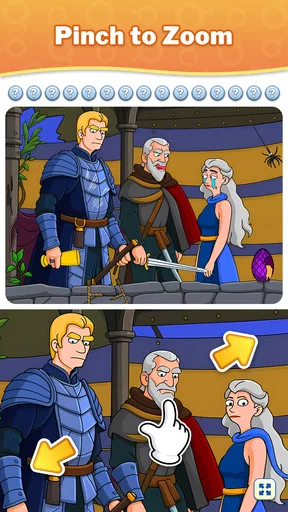

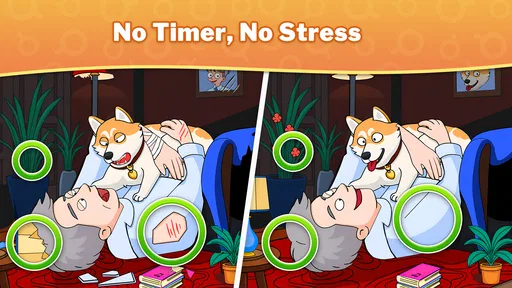

 Analysis by AppCompare
I reach for a spot-the-difference game when I want something I can pick up without learning a complicated set of rules. Differences - Find & Spot It fits that mood: I compare two pictures, tap the details that do not match, and keep going at my own pace. It is a puzzle game from Guru Puzzle Game, and its appeal is easy to understand: looking closely can feel absorbing without asking me to commit to a long story or a demanding strategy system.
A low-friction puzzle for small breaks
The basic loop is familiar, but that is part of the attraction. I do not need to remember a sequence of moves or build a plan several stages ahead; I just scan the images and check my observations. That makes it a natural option for a short wait, a quiet pause at home, or a few minutes when I want my attention occupied but do not want a fast-action game. The store summary points to a large library of pictures, and the range gives the format room to stay varied rather than making every puzzle feel like the same scene with a new answer.
A practical way to play is to divide each picture into zones instead of darting between the two images at random. I start at one edge and work across, checking major shapes first, then smaller details such as color, outlines, and background objects. This simple routine helps me avoid repeatedly inspecting the same obvious areas while overlooking a change elsewhere. It is especially useful when a difference is subtle and the images contain plenty of detail.
Who will enjoy it—and who may not
I would recommend it to people who enjoy visual puzzles, want a game that is easy to explain to a friend, or prefer a gentle challenge over reflex-based play. It can also suit a shared moment: one person can hold the device while another points out details, turning a solitary puzzle into casual cooperation. Because the central task is visual comparison, it is less suited to someone looking for a deep narrative, a large set of strategic choices, or a competitive game built around multiplayer interaction.
There is a real trade-off in the format. Searching carefully is relaxing for me when I have time to focus, but the same close inspection can become tiring if I am already fatigued or playing on a small screen. If I notice myself tapping impulsively or losing track of which areas I have checked, I pause rather than turn a calm puzzle into a frustrating hunt. Players who prefer word puzzles or logic grids may also find those alternatives more satisfying because they offer a different kind of reasoning instead of visual scanning.
What to know about spending and fairness
The game is free to download, with in-app purchases listed from $0.99 to $99.99 per item. That is worth knowing before installing, particularly if the device is shared with a child: I would check purchase controls and agree on expectations before handing it over. The listed content rating is Everyone, but that does not make purchase settings irrelevant. I treat the free entry point and the optional purchase range as separate considerations, rather than assuming that every part of the experience is cost-free.
I cannot judge competitive fairness by assuming that purchases affect hints, timers, or progress; those details are not established here, so I would not present them as facts. If timed play matters to you, focus on whether you enjoy being measured against the clock, rather than assuming that a purchase changes the challenge. For a relaxed session, the straightforward picture-search premise is the main draw. Anyone deciding whether to spend should first see how the free version fits their habits and check the purchase choices shown on their own device.
Worth Reading Before You Choose

Baby Panda World Brings Quick Play to Modern Phones, but Its Game Library Feels Busy

ESPN’s Live Game View Makes Following Close Games Easier

QuizzLand Review: A Good Fit for Short Trivia Breaks, Not Every Player

Basketball Stars: Multiplayer Is Fast, but Can It Recover When Matches Go Wrong?

WEBTOON Turns Phone Updates Into a Better Reading Routine

Link to Windows Runs on Shared Habits, Not Social Feeds
The Basics
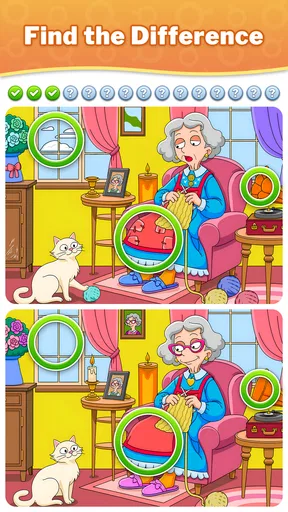
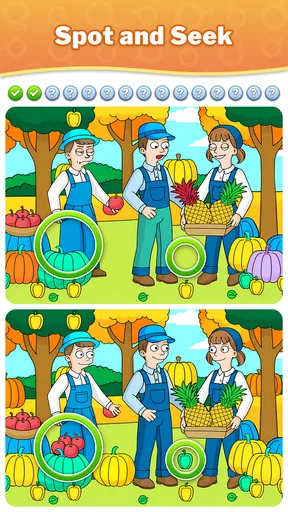
So, what’s the deal with Differences - Find & Spot It? At its core, it’s a classic spot-the-difference game where you’re presented with two seemingly identical images. Your mission, should you choose to accept it, is to find all the differences between them. Simple, right? But don’t be fooled. The developers have added a delightful twist that makes each level more intriguing than the last.
Gameplay Experience
Let’s talk about the gameplay. The mechanics are straightforward: tap on the differences you spot. But as you progress, the differences become more subtle and harder to find. I found myself squinting at my screen more than once! The game offers a variety of images, from serene landscapes to bustling cityscapes, each with its own unique set of challenges. One minute you’re spotting a missing tree branch, and the next, you’re hunting for a misplaced shadow.
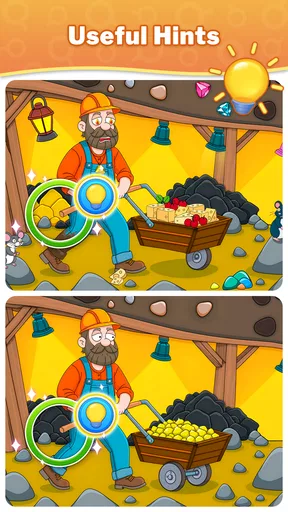
A cool feature is the hint system. I’ll admit, I’ve used it more than a few times when I was stuck. It’s a lifesaver when you just can’t figure out where that last difference is hiding. But there’s a catch – hints are limited, so use them wisely!
Visuals and Sound
Visually, the game is a treat. The images are crisp, colorful, and full of detail. I found myself appreciating the art as much as the challenge of finding the differences. The sound design complements the visuals perfectly. The background music is calming and helps to maintain focus, while the subtle sound effects add a nice touch when you spot a difference.
Challenges and Levels
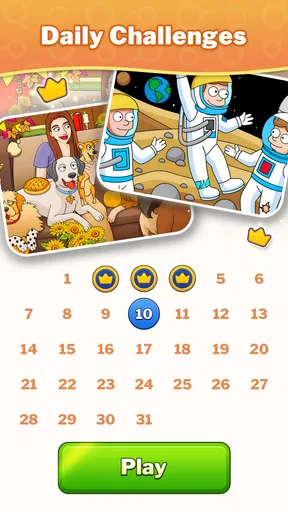
The app offers a ton of levels, and they’re constantly updating with new ones, which is great because it keeps the game feeling fresh. There’s a real sense of satisfaction as you complete each level and move on to the next. And if you’re a competitive spirit, there are even timed challenges to test how fast you can spot all the differences. Trust me, those can get intense!
For a realistic everyday session, I might open it while waiting for a ride or settling in during a lunch break. I would treat one puzzle as a self-contained activity rather than promise myself a long run: the search can be satisfying, but a difficult final detail may take longer than expected. If I am interrupted, I make a mental note of the part of the image I had not checked yet, then return with a deliberate sweep instead of tapping around in a hurry. That approach makes the game work better as a stop-and-start pastime.
Progress without turning every round into a race
The timed challenges mentioned in the game are a different proposition from ordinary picture searching. A clock can add a welcome jolt for players who like testing their speed, but it can also change the mood from leisurely observation to pressure. I would use those rounds when I am alert and in the mood for a quick test, not when I want a calm wind-down. If I am new to a particular image style, taking time to learn how its details are arranged is more useful than chasing a fast finish straight away.
One useful habit is to look for categories of change rather than guessing at isolated pixels. I compare outlines, count visible objects, check whether a small item has changed position, and then inspect color or shape. This does not guarantee that I will spot everything quickly, but it gives my eyes a repeatable method. It also helps me tell the difference between a genuine visual change and simply noticing an area more clearly on the second pass.
The hint system can help when I have genuinely exhausted my search, but I would not spend a hint just because a round feels slow. I first switch to a systematic scan, take a brief eye break, and return to the remaining parts of the scene. That pause matters: staring harder is not always the same as seeing better. Since the hints are described as limited, saving them for a stubborn last detail makes more sense to me than using them early to rush through an image.
How it compares with other puzzle choices
Compared with a crossword or a number puzzle, this game asks for visual attention more than vocabulary or calculation. Compared with a match-three game, its appeal is not a chain of quick moves but the small satisfaction of noticing what changed in a familiar-looking scene. That makes it a strong fit when I want a quiet task and a weaker fit when I want constant feedback, a story to follow, or a sense of building a long-term strategy. The best alternative depends on the kind of effort I want: careful looking here, versus wordplay, logic, or rapid decisions elsewhere.
It also differs from a dedicated brain-training routine in feel. I would choose it for an enjoyable visual break, not because I expect a particular measurable improvement in concentration. The useful benefit is immediate and modest: it gives me something specific to focus on for a while. If a player needs structured lessons, detailed performance tracking, or a particular accessibility option, I would compare other puzzle apps before settling on this one rather than assuming a spot-the-difference format covers those needs.
Details worth checking before installing
The game is free, is rated for Everyone, and has an average rating of 4.9 from around 428,000 ratings, with over 10 million installs. Those figures suggest that the basic format has found a broad audience, but popularity is not a substitute for personal fit: someone who dislikes close visual searching may still find it repetitive. It was released on August 26, 2024, and version 2.16.3 is the current version. It requires Android 7.0 or later, so I would check the device’s software before trying to install it.
On the practical questions, the purchase range is listed from $0.99 to $99.99 per item, so I would review the specific options presented in the app and use device-level purchase protections where needed. The Everyone rating makes it broadly suitable by age, while the possibility of purchases is still relevant for family devices. The large picture collection is a reason to expect variety in the core activity, not a promise that every image or challenge will suit every player. I would start with the free experience, notice whether the pace and visual detail feel comfortable, and decide from there whether it deserves a regular place on my phone.
User Interface and Navigation
One of the things I appreciate about this app is how user-friendly it is. The interface is clean and intuitive, making it easy to navigate through the menus and levels. Even if you’re not tech-savvy, you’ll find yourself getting the hang of it in no time. Plus, the app’s performance is pretty smooth – no annoying lags or crashes, which is always a bonus.
Final Thoughts
Overall, Differences - Find & Spot It is a fantastic way to relax and challenge your brain at the same time. Whether you’re looking to kill time during a commute or just want a fun game to unwind with, this app ticks all the boxes. It’s engaging, beautifully designed, and offers just the right amount of challenge to keep you coming back for more.
If you haven’t tried it yet, I’d highly recommend giving it a go. You might find yourself getting lost in its world of differences, just like I did. Happy spotting!
Pros
- Engaging puzzles that challenge observation skills.
- Variety of levels keeps gameplay fresh and fun.
- User-friendly interface with intuitive controls.
- Offline mode available for on-the-go play.
- Regular updates with new content and features.
Cons
- Ads can be intrusive during gameplay.
- In-app purchases may be costly over time.
- Some levels can feel repetitive.
- Limited hints available without purchase.
- Occasional bugs may disrupt gameplay.
FAQs for Differences - Find & Spot It
What is the main objective of Differences - Find & Spot It?
The primary goal of the game is to challenge players to spot differences between two seemingly identical images. Each level presents a pair of pictures, and players must identify subtle variations between them. This game is designed to enhance attention to detail and improve observational skills while providing an engaging and enjoyable experience.
Is Differences - Find & Spot It suitable for all age groups?
Yes, Differences - Find & Spot It is designed to be accessible to a wide range of age groups. The intuitive interface and simple gameplay make it suitable for children, while the increasing difficulty levels can provide a challenge for adults. It’s a family-friendly game that can be enjoyed by everyone.
Are there any in-app purchases or advertisements in Differences - Find & Spot It?
The app offers a free version that includes advertisements to support development. There are also in-app purchases available, which can enhance the experience by removing ads or providing additional hints. Users can choose to play for free or opt for premium features depending on their preferences.
What are some tips for finding differences more effectively in the game?
To improve your skills in spotting differences, start by examining the images systematically, focusing on one section at a time. Pay attention to colors, shapes, and patterns, as these often hold the key differences. Additionally, taking breaks between levels can help refresh your eyes and improve concentration.
Can Differences - Find & Spot It be played offline?
Yes, once downloaded, Differences - Find & Spot It can be played offline, making it a perfect companion for travel or situations without internet access. However, some features, like updates or accessing certain content, might require an internet connection.


